Accessible reading
Explore text-to-speech software for students with disabilities
Text To Speech can help turn a passage into spoken reading alongside the materials a student already uses. Start with a short excerpt, then check whether the voice, pacing, and access method suit that student.

the audience's existing pipeline
A student may receive a handout, read it in a document, annotate unfamiliar terms, and revisit it before a class discussion. Spoken reading fits into that routine; it does not replace the source, the teacher's instructions, or a student's preferred accommodations.
- what is text to speech used for See how spoken reading supports access to written material in everyday situations.
- how to use text to speech online Follow a practical sequence for preparing text and listening to the result.
- how to use text to speech on google docs Consider ways to move from a working document to a spoken version.
where we slot in
Use spoken reading at the point where a student needs another way to access a specific piece of text. Keep the written original available for names, diagrams, citations, and anything that needs visual checking.
-
1
Choose an accessible excerpt
Select a paragraph from material the student is permitted to use. Remove page numbers or broken line endings that could interrupt the reading, but preserve headings and punctuation that carry meaning.
-
2
Listen and check meaning
Hear the passage while following its written version. Pay particular attention to names, abbreviations, equations, and subject vocabulary; a smooth voice does not guarantee an accurate or useful pronunciation.
-
3
Adjust the study routine
Try a shorter chunk, add a pause, or repeat a difficult sentence. Ask the student whether listening helps with this task rather than assuming one voice or pace works across all subjects.
The useful boundary is straightforward: a spoken version can improve access to words, but it cannot make every source accessible or provide an accommodation plan on its own.
It cannot read meaning from an image
A scanned worksheet, chart, or unlabeled diagram may not provide usable text for spoken reading. Even extracted text can lose its reading order.
What to do instead
Obtain an accessible source or review extracted text and descriptions before using speech output.
It cannot interpret every symbol
Mathematical notation, chemical formulas, tables, and unfamiliar abbreviations may be spoken in ways that obscure the lesson.
What to do instead
Keep the original visible and check specialist material with an appropriate teacher or accessibility tool.
It cannot set school policy
A convenient reading method does not determine exam permissions, required accommodations, or how sensitive student material may be handled.
What to do instead
Follow the student's documented plan and the school's rules before using a tool with protected material.
before/after
The change is in how the same passage can be approached, not in what the passage says. A student can move between the written source and a spoken reading when that helps them follow or revisit the material.

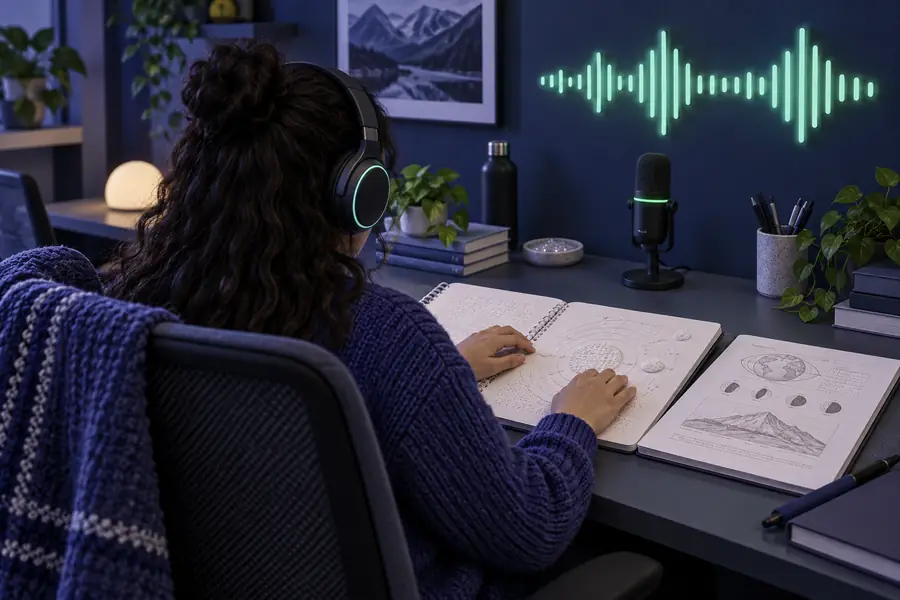
Before: a dense paragraph may require repeated visual rereading. After: the student can listen to a manageable excerpt while checking the original. Neither view removes the need to verify pronunciation or understand the content.
Written sourceWritten source plus speechdeliverable spec
When considering text-to-speech software for students with disabilities, define the deliverable as a usable reading experience, not merely a voice that plays. Compare what the student has with what the spoken-reading step should add.
| Written material alone | Written material with spoken reading | |
|---|---|---|
| Source of truth | The original document holds the wording and layout. | The original still holds the wording and layout; speech is a second way to access it. |
| Reading pace | The student controls rereading visually. | The student can listen to shorter excerpts and repeat them as needed. |
| Technical vocabulary | Spellings remain visible for checking. | Spoken pronunciation needs checking against visible spelling and classroom usage. |
| Tables and diagrams | Visual structure may convey relationships. | Speech alone may miss those relationships; accessible descriptions or another format may be needed. |
| Preparation | The student opens the supplied material. | Someone may need to select clean, correctly ordered text before listening. |
| Best fit | Tasks where the written format already meets the student's needs. | Tasks where hearing a passage helps the student follow, review, or sustain attention. |
Start with a short, non-sensitive excerpt and listen alongside the original. Check whether the result is clear enough for this student and this assignment before making it part of a routine.
Try a passage from today's reading
- Keep the written source in view
- Check names and subject terms
- Follow school guidance for student material
scenario FAQ
Start with a short section of the assigned reading and listen while following the original text. Pause to check unfamiliar words, then ask the student whether this approach helps with that particular task. Follow any existing accommodation plan.
No. Students have different access needs, preferences, and classroom goals. Offer spoken reading as an option and let the student's experience, support team, and documented accommodations guide its use.
Not reliably from an image alone. A scan may first need text extraction, and diagrams may need meaningful descriptions that preserve their relationships. Check the resulting reading order against the source before a student relies on it.
That depends on the assessment rules and the student's approved accommodations. Practice with permitted materials beforehand, but do not assume a tool allowed for homework is allowed in an exam.
Check school privacy requirements and avoid entering protected or identifying information unless the tool and its use are approved. A short, non-sensitive excerpt is a safer starting point for evaluating whether spoken reading is helpful.